By default, WordPress displays detailed error messages on the login screen whenever someone enters incorrect credentials. While this is helpful for legitimate users, it can also unintentionally reveal whether a specific username or email address is registered on your site
To make your site more secure, it’s a good idea to disable these login hints. In this post, we’ll show you how to hide login error details and replace them with a simple, generic message.
Solution: Hide login errors in WordPress
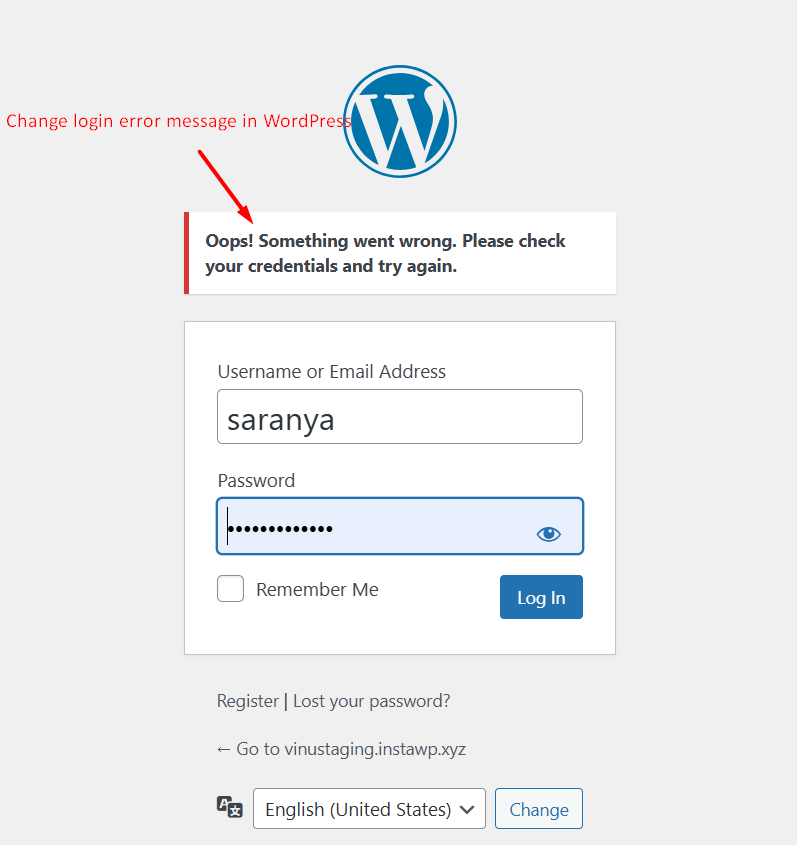
This snippet replaces the detailed WordPress login errors with a single, generic message that doesn’t reveal any hints, but just a generic error message.
When someone enters an incorrect username or password, your WordPress login page shows a custom and neatly styled error message instead of the default WordPress ones.